The whole Facebook advertising world can be very confusing.
Focus on that interest, re-target this demographic, make sure to exclude certain people… good lord, where do you even begin?
Over the years, I’ve spent over $3,000,000 buying Facebook ads (see below) — and, before I was fired at Facebook, I helped build their ad system.
Bottom-line: I’ve tried anything and everything with Facebook advertising. And now, I’m going to share EXACTLY how you can spend on Facebook ads and get a great ROI for your business.

There are so many advanced tactics, strategies, and tips you can read about Facebook Ads. And I’m going to show you some of them — with a catch.
The truth is, it’s CRITICAL you understand the fundamentals of Facebook ads before you worry about split testing, CPC optimization, or other advanced strategies.
Often times, even “expert” advertisers mess up the simple fundamentals. Then, their mistakes drive up the cost they spend on ads, lower profitability, and cause headaches.
Because we want to build a strong foundation, in this post you’ll learn:
- The lessons I learned from spending millions on online advertising
- How to setup your first Facebook ad
- The exact methods I use to target audiences on Facebook
- What makes an ad click-worthy (plus my secrets for creating great CTAs)
- The insanely simple method for working the ROI of your ads
- And more…
But before we get started, 6 things to consider before you start with Facebook ads...
Over the years, I’ve learned a ton about Facebook online advertising:
- Helping build the Facebook Ads platform from the ground up
- Spending $3,000,000+ on Facebook ads
- Using every tactic, strategy, and trick in the Facebook advertising handbook to make my ads as effective and profitable as possible
Facebook ads are certainly an amazing platform to grow your business, but that doesn’t mean you should jump in head-first.
Here are a few caveats to consider before diving into Facebook ads (or online advertising in general):
- Be patient. In my experience, it can take anywhere from 1 day to 6 months to get your online advertising profitable
- Not every advertising channel will work for everyone. I’ve spent $100,000+ on Google advertising and only made back $25,000. Damn. Not every advertising channel will work for every business
- When you do find a channel that’s profitable, spend as much as you can while you can. When I was advertising on a third-party newsletter, I spent $750 a week and made $1,500 within 2 weeks. That’s an awesome ROI. I didn’t sponsor more than twice a month since I didn’t want to annoy their readers. But then, a friend yelled at me to do more. I moved to four times a month and the ROI stayed the same. I realized there’s a lot of noise online so it’s okay to advertise hard
- Advertising decays. Over time you need to refresh your advertising, even if it’s working, to prevent it from going stale. At AppSumo we had a full-time person just refreshing our ads a few times a day with relevant numbers, topics, and news
- Profit is all that matters. Ignore people who claim they get some really high click through rates (also known as CTR, or the % of people that actually click their ad). CTR is a vanity metric, and what matters most is ROI. If you are not making money, stop
- Look for free marketing opportunities first. I personally encourage people NOT to spend on ads until they’ve exhausted other marketing activities. It’s too easy to spend a lot on ads without great results.
Step-by-step instructions: How to spend your first $100 on Facebook in 10 simple steps
When you first start out with Facebook ads, it’s best to dip your toes in with a fairly small budget and gradually ramp up as you find your sweet spot.This was my approach when I first started out. I didn’t spend $3,000,000 on Facebook ads right away. I started with just $100 in my first month.My budget scaled alongside my learnings and results. The more I learned, the better results I saw, and the more budget I’d invest. In month two, I spent $400. Eventually, I ramped up to $100,000+ budget per month.Below I’ll walk you through 11 steps to get going with Facebook ads (and how to spend your first $100).Step 1: Head to Facebook Ads Manager
Open up Facebook Ads Manager to get started with creating your ads.Once Facebook Ads Manager loads, you’ll be able to get started building your first ads.Step 2: Choose your objective
What do you want your ads to do? Drive traffic, build brand awareness, increase conversions? You’ll need to choose an objective. Facebook offers 11 options split across three key objectives:- Awareness: Objectives that generate interest in your product or service
- Consideration: Objectives that get people to start thinking about your business, or look for more information about your business
- Conversion: Objectives that encourage people interested in your business to purchase or use your product or service
Choose Traffic (under "Consideration") first. You can do website conversion, but I’d wait. Remember, our goal is to keep your first $100 as simple as possible and get a ROI.With only $100 to spend, you’ll struggle to generate enough brand awareness to drive returns. And conversion-focused ads won’t prove cost-effective either.You also need to give your campaign a name. Choose something easy and memorable so you can easily identify it in the future.Facebook recently added the ability to split test ads, which enables you to test advert sets against each other to understand which ads give you the best results. But for your first $100, don’t worry about split testing. Keep it simple.Note: Do not buy likes. I hate when people brag about how many likes their fan page has. Likes don’t mean much, because Facebook controls communication with your customer(this is why “Boosted” posts have become such a money-driver for Facebook).When you write Facebook posts you have almost no say on how many people it will reach. It makes sense to create a free fan page and promote it — but don’t spend money towards it in the beginning.Step 3: Choose your audience
Once your objective is set, you choose the audience you’d like to target with your advert.One of the most important things to look out for on this page is the audience size gauge.You want to aim specific, not broad.Somewhere in the middle of the green section of the dial below is the sweet spot.When I first started advertising AppSumo and Monthly1K, I tried to target audiences with less than 10,000 people.The more specific your target group, the more likely you are to have a higher CTR. Plus, the more likely you’ll convert a clicking user to email subscriber (or buying customer) down the line.One “red herring” to watch for is cost per click (CPC). Anyone who brags about paying an insanely low CPC is likely getting a horrible ROI. The key is balance.How to define your target audienceFacebook provides a ton of options to customize your audience, including:- Location
- Age
- Gender
- Languages
- Interests
- Behaviors
- Connections
Choosing the right audience is essential for a successful Facebook ads campaigns. You need laser-focused targeting.For the age and gender category, look at the demographics of your top customers or the people you have email addresses for and target those age groups. The narrower the BETTER. For the Monthly1K course, we targeted 25-40 year-olds who are in the United States.The other categories, Languages and Connections, I encourage you to leave alone in the beginning.(Yes, I know the haters out there will want to optimize everything, but I’m trying to streamline the process so you can start investing in ads and learning immediately. Remember, 80% is better than 100% at first — we just want to get you to an ROI.)For countries: Focus on ONE state / country to begin with. Bonus points if you’re able to focus on a city. Remember, target less than 10,000 people total. If your audience is broad, go more narrow geographically.One of the most powerful targeting options available is ‘Interests’, this enables you to advertise to people within your target demographics based on their interests (activity on Facebook, Pages they like, and closely related topics).When trying to figure out your first interest group to target I recommend a few options:1. Take your 10 best customers and search their email address / name on FacebookThen go to their Likes by clicking ‘More’ on their profile and selecting ‘Likes’:Now, create a spreadsheet and list out all the Likes of each of your top 10 customers on Facebook. Focus only on the most relevant Likes to your business. For example:The goal is to find easy and effective ways you can target new customers. Look for 1-3 similar Likes across your top customers to get started.2. Find your competitor's customer interestsGo to a competitor's Facebook Page and look at the people who like it. Click on their profiles and add them into your spreadsheet to find their common interests.We did this the AppSumo competitor MacHeist a couple years ago as we were starting to grow AppSumo.3. Target a direct competitorFind an angle that makes your business unique and then use that angle to advertise directly to your competitors customers.Simply search for your competitor’s name in the interests box and you can target people who Like your competitor on Facebook, or match your other targeting criteria.Caveat: DO NOT let Facebook recommend broad interest categories. Facebook’s goal is to get your money. They want to show your ads to whomever is most likely to click. But it’s your job to ensure your ads are targeting people who are valuable to you or your business.Step 4: Choose your placements
Once you’ve selected the audience for your advert, you’ll see the option to choose the placement (aka where it’ll show on Facebook). You have two options:- Automatic placements: Facebook automatically puts your ads where it feels they’ll work best
- Edit placements: You choose where you’d like to reach people
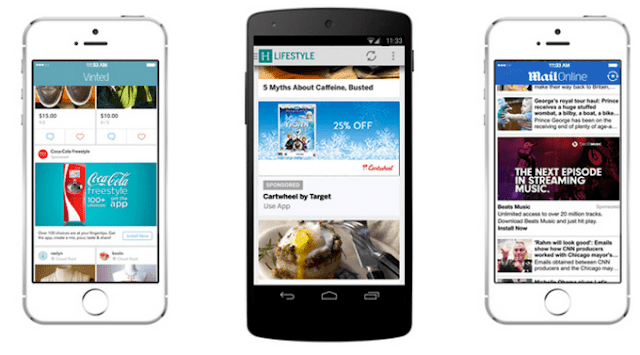
Even for beginners, I recommend you select ‘Edit placements’ so you can select exactly where you’d like your ad to be shown within Facebook’s network.You’ll see a list of the available placement options for your ad. With your first ad, I recommend you only target Facebook users in the News Feed.Why just the News Feed?- Audience Network can be a little difficult to configure for a beginner. It’s best to get started with Facebook Ads directly on Facebook... rather than Facebook Ads that appear on other channels
- Instagram ads are a whole different kettle of fish
- I’ve found right-hand column ads are effective for retargeting, but with the CTR so low it’s not worth it when you’re starting
Mobile vs DesktopMobile ads could make sense for your business, but it depends greatly on your service. If your landing page is fully optimized for mobile, it can be worth targeting Facebook users across all devices. But if your product is a web-app, then mobile feed ads might convert significantly lower than desktop ads.Mobile social ads now drive more impressions and clicks than desktop, but desktop still has a slight edge when it comes to conversions. Consider creating a separate ad set with just mobile targeted ads. I’ve seen promising results doing this.So, if you’re fully confident your site is killer on mobile, select “All Devices”. If not, select “Desktop only”.Step 5: Set your budget
Start small. Set your daily budget at $3.33 (this’ll ensure you don’t spend more than $100 a month).On Facebook, the average cost per click (CPC) is about $0.35 globally and about $0.28 in the U.S. (source)Here are a couple of things to keep in mind when thinking about your bid amount:- If you try to bid too low, your ads may not get the exposure they need, and you won’t reach your goals
- Don’t worry about bidding a high amount. You’ll still end up paying the lowest amount possible in the auction to get your ads delivered
Aim for $0.75 a click. (Don’t worry if that seems high, it’s only 4.4 clicks). The point is to get some clicks to your ad going and then you can lower the amount.A few notes for you to benchmark your performance with:- On most paying products we’ve advertised, the conversion from click to paying customer is about 0.1-0.2%
- Conversion rate to collecting an email has been around 20%
Again, remember it can vary wildly based on your industry. But, this should give you a rough north star to aim for.Step 6: Create your Ad
This is where you create your advert. Generally, I have a couple of pieces of advice when it comes to creating winning ads:1. Keep the images simple, ideally of yourself or something not boring. Look at this boring advertisement below. Yawn! Such a neat idea for a product. But boring execution, with an image blending in with so many other images we see online2. Try to create an ad that uses natural text versus something that seems like an advertisement. Imagine what you naturally write / post on Facebook compared something that seems like a paid placement.Here’s an example from AppSumo of one of our high-performing “natural” ads:And if you want to know what this looks like in real life, see how to make EPIC Facebook Ads which get you tons of clicks and conversions.Step 7: Choose the format
For News Feed ads, Facebook offers six different formats. Let me simplify it for you: Choose Single Image.Single Image ads in the desktop News Feed tend to have a higher engagement rate than right column ads. Plus, with single image ads' similarities to organic News Feed posts, users are familiar with interacting with this type of post.Step 8: Choose your image(s)
Facebook single image ads enable you to upload and test six variations of images. With only $100 budget, six variations is a little too complex. Start with one or two images max.For single image ads, Facebook recommends the following:- Recommended image size: 1200 x 628 pixels
- Image ratio: 1.91:1
- To maximize advert delivery, use an image that contains little or no overlaid text
Don’t: Whatever you do, don’t use any of Facebook’s stock images. Stock images are the best way to ruin a great ad. Don’t use low-quality images either and definitely avoid stealing images from Google.Images of people work incredibly well. Preferably their faces. And try to use a bit of contrast, too. That’ll make your image stand out. You could use images of your team or your customers (with their permission, of course).If you have a designer on your team, get them to whip up your ad. If you don’t have a designer, tools like Canva — or Googling "royalty free images" make it incredibly simple to design beautiful looking images in no time.Step 9: Add your copy
Once you’ve added an image or two to your ad, you have to create the supporting copy.The first step is to choose the Facebook Page that will represent your business in the ad (all single image News Feed ads are promoted by Facebook Pages).Then you need to choose your destination. This’ll be your website or the landing page you’d like to drive traffic too.Pro tip: Create consistency. If someone clicks your ad, something in your image or copy has grabbed their attention. After clicking, they should land on a webpage that reinforces the message you shared in your ad.There are now four key pieces of copy you need to include with your advert:- Headline: Add a brief headline to tell people what your ad is about. I like to give something away free with the headline (see "Free Growth Hacker Tips" in the example below). You only have 25 characters to use here. Be wise
- Text: The text appears about the advert and is similar to a status on normal Facebook posts
- Call to Action (CTA): Facebook has a range of button call-to-actions you can use within your ad. Choose “Learn More”
- News Feed Link Description: This appears below the Headline. Use this space to add additional text to emphasize why people should visit your website and to reinforce your CTA
Here’s an example:4 tips for creating incredible adsAs a quick recap, here are four tips to help your ads stand out and drive clicks:1. Choose images that stand outRemember, on Facebook you’re not just competing with other ads for attention, you’re up against wedding photos, cat videos, #blessed posts, and other content posted by friends and family.If you want people to click on your ads, they have to stand out. I tend to use images on a bright background or anything with a bit of contrast to stand out from the blandness of the News Feed.2. Use Calls-to-ActionsIncluding a Call-to-Action within your Facebook Ads is a great way to let the user know what to expect on the other side of the ad.CTAs might not directly increase your clicks or make your ad more pleasing to the eye, but it’s a great tactic to improve your conversions and decrease your cost per conversion.I love to use the "Headline" part of Facebook Ads to include the CTA.3. Add social proofThere are a couple of reasons that might put someone off clicking your ad:- Scared of losing money
- Worried about making the wrong choice
How can you overcome these two challenges?Use social proof to show the reader why they should care.The ‘Text’ section of your Facebook ad is a great place to include some social proof around your product or service. For example, you could: mention how many businesses use your product, include a testimonial from a customer, talk about your experience.The goal with social proof is to alleviate any worries someone may have about your product and give them a reason to car.4. Use the “Learn More” buttonThrough a bunch of testing, we found the “Learn More” button converted better than other buttons or not having a button at all.These findings were also backed up by AdEspresso who found that the “Learn More” CTA returned a 22.5% higher click-through rate than “Sign Up” (source).Step 10: Measure your ROI
Now you’ve gotten started. Congrats… but the real thing is profit. So how do you track your ROI and make your money back?To start, do stupid ghetto math. Here’s how I do it with advertising OkDork:I spend around $3.35 / email per sign up.On some emails I will proudly mention Sumo (free tool for getting more email subscribers).Each new customer makes us around $515 after refunds. So I do back of the envelope math as follows:Product Profit = $515
Email Cost = $3.35
$515 / $3.35 = 153So if 1 out of 153 people via new email signups buy Sumo then buying ads is profitable.For your business the numbers might be a little different, but a similar formula will help you work out your ROI.Get my 10 steps to a perfect Facebook ad
Facebook offers incredible value to advertisers. Throughout this post you might have noticed a couple of key takeaways about creating successful ads:- Design eye-catching ads that grab attention and generate clicks
- Laser-focused targeting to ensure your ads are reaching the right people
Good luck advertising. Leave a comment and share your questions or experiences with Facebook ads.